How to Stop a Portable Power Station Stopping at 99% Charge (BMS Fix)
Quick Specification & Sizing Overview
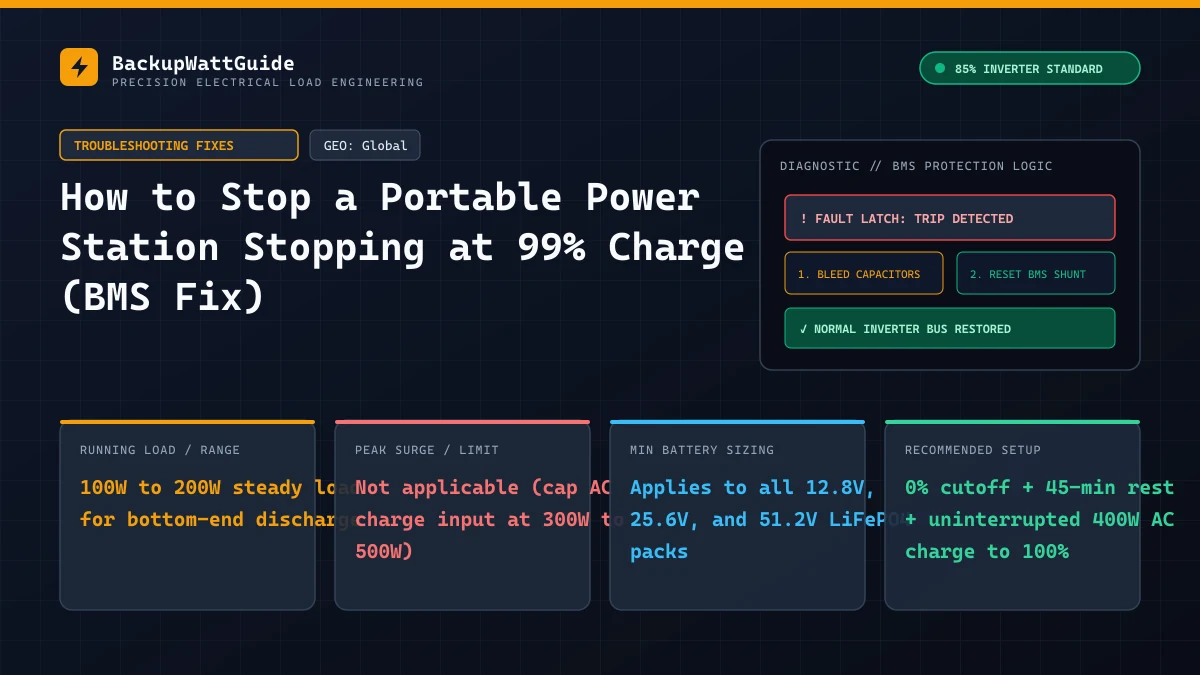
If your Bluetti, EcoFlow, Anker SOLIX, or Jackery portable power station hangs at 99% for two hours while pulling 40W to 90W from the wall, or suddenly drops from 88% straight to 100% (or 22% straight to 0% under load), the lithium cells inside the case are rarely worn out. What has drifted out of alignment is the State of Charge (SoC) coulomb counter inside the Battery Management System (BMS).
Unlike older lead-acid or nickel manganese cobalt (NMC) batteries whose voltage rises and falls on a steep, predictable slope as they charge and discharge, Lithium Iron Phosphate (LiFePO4) cells have an almost completely flat voltage curve between 15% and 95% capacity. Because the BMS computer cannot tell the difference between a 35% full pack and an 80% full pack simply by measuring voltage, it has to guess the percentage on the LCD screen by counting every amp-hour of current going in and out. Over dozens of partial charges, small measurement errors pile up until the screen displays 99% while the physical cells are still at 91%, or shows 20% remaining when the weakest cell inside the pack has already hit empty.
Why LiFePO4 battery percentages drift (the flat voltage curve problem)
A 1,024Wh portable power station (such as an EcoFlow DELTA 2, Bluetti AC180, or Anker SOLIX C1000) typically wires 16 prismatic or cylindrical LiFePO4 cells in series (16S) to build a nominal 51.2V pack (or 8 cells in series for a 25.6V pack).
If you put a voltmeter directly across a single LiFePO4 cell while charging it from dead empty to completely full, the voltage behaves in a way that frustrates digital fuel gauges:
| True Cell State of Charge (SoC) | Single LiFePO4 Cell Voltage | 16S Pack Voltage (51.2V Nominal) | BMS Percentage Estimation Method |
|---|---|---|---|
| 100% (Full Absorption Peak) | 3.60V – 3.65V | 57.6V – 58.4V | Hard Upper Voltage Anchor. BMS resets screen to 100% once cell hits 3.60V and tail current drops. |
| 90% (Resting) | 3.34V | 53.4V | Coulomb counting (current integration over time). |
| 50% (Mid-Pack) | 3.28V | 52.5V | Coulomb counting (only 0.06V lower than 90%!). |
| 20% (Low Pack) | 3.20V | 51.2V | Coulomb counting (still within 0.14V of 90%). |
| 0% (Low-Voltage Cutoff) | 2.50V – 2.70V | 40.0V – 43.2V | Hard Lower Voltage Anchor. BMS snaps screen to 0% and opens discharge relay the instant any single cell hits 2.50V. |
Look closely at the range between 20% and 90%: across 70% of the battery’s entire usable capacity, the voltage of each cell moves by only 0.14 Volts (from 3.20V to 3.34V). Under load, internal resistance shifts cell voltage by 0.15V to 0.30V anyway, making pure voltage readings useless for mid-pack percentage display.
To show a smooth 0% to 100% number on the screen, the BMS runs a Hall-effect current sensor or precision shunt resistor (a coulomb counter) that measures amps multiplied by seconds. Every time you run a 5W Wi-Fi router, leave the unit in standby for three weeks, or top up from 40% to 80% on solar panels, tiny currents under 300mA slip underneath the shunt resistor’s deadband resolution. After a month without hitting either the 3.65V upper wall or the 2.50V lower floor, the coulomb counter can be off by 15% to 25%.
What is actually happening inside the pack when it hangs at 99%
When your screen reaches 99% and stays there for 45 to 120 minutes while the input wattage steps down from 1,200W to 80W, one of two things is taking place:
- The Coulomb Counter Hit 99% Before the Cells Hit 57.6V: Because of upward drift, the BMS thought the pack was 99% full after putting 850Wh into a 1,024Wh battery. However, the BMS refuses to flip the display from
99%to100%until the physical pack voltage actually reaches its 3.60V-per-cell absorption target. So the screen freezes at99%while the charger quietly pumps in the missing 170Wh of energy. - Passive Top-Balancing Across Out-of-Sync Cells: In a 16-cell series string, charging stops the instant the single highest cell (say, Cell #4) hits 3.65V, even if the other 15 cells are sitting back at 3.38V. To fix that gap, the BMS turns on tiny surface-mount bleed resistors (typically 33 to 68 Ohms) across Cell #4, burning off 50mA to 100mA as gentle heat so Cell #4 drops back down and allows the charger to pulse more energy into Cells #1 through #16. Because 60mA of passive balancing current is tiny compared to a 20Ah cell, pulling a drifted cell bank back into alignment at 99% takes 1 to 3 hours at the very end of the charge cycle.
If your unit terminates the charge with a fault code instead of sitting at 99%, check our diagnostic guide on how to fix error code E01, E02, and E03 on portable power stations.
Step-by-step BMS calibration procedure (fixes 99% hang and early shutoffs)
Do not just unplug the power station when you get tired of looking at 99%. Pulling the cord early aborts the passive top-balance phase and leaves your cells even further out of alignment for the next cycle. Follow this five-step calibration procedure once every three months (or whenever your percentage jumps erratically):
Step 1: Disable Eco Mode and lower-limit battery reserves in the app
Before starting the drain cycle, open your EcoFlow, Bluetti, Anker, or Jackery mobile app:
- Set the Discharge Lower Limit (Backup Reserve) slider all the way down to 0% (many users leave this set at 10% or 20%, which prevents the BMS from ever seeing the true bottom-of-pack voltage floor).
- Set the Charge Upper Limit slider all the way up to 100%.
- Turn ECO Mode / AC Auto-Timeout OFF so the inverter does not shut down when the load tapers.
Step 2: Discharge the power station continuously to 0% until automatic shutoff
Plug a steady, resistive or light inductive AC load—between 100W and 250W (such as a box fan, a desktop monitor, or a halogen work light)—into the AC receptacles and let the station run until the screen hits 0% and the AC inverter shuts itself off automatically.
- Why 100W to 250W matters: Avoid draining the battery at 1,500W with a space heater or hair dryer for calibration. High-amp discharging causes massive voltage sag (), tripping the 2.50V cell cutoff prematurely while 12% of usable energy is still trapped inside the cells. A gentle 150W load lets the pack reach a true, relaxed
0%floor.
Use the calculator below to estimate how long your station will take to drain down to 0% under your test load so you can time the cycle while you are awake.
Real-World Battery Runtime Calculator (85% Inverter Efficiency)
Step 3: Let the empty battery rest for 45 to 60 minutes (cell relaxation)
Once the AC output shuts off at 0%, press and hold the main power button to turn the unit completely OFF, unplug your test appliance, and leave the station sitting untouched at room temperature (18°C to 25°C / 65°F to 77°F) for at least 45 minutes.
During this rest window, two things happen:
- Internal cell temperatures cool back down to ambient.
- The open-circuit voltage of the depleted cells rebounds slightly and settles, allowing the BMS microcontroller to record a stable zero-current baseline reading across the shunt resistor.
Step 4: Perform a slow, uninterrupted 400W–500W AC charge to 100%
Plug the AC charging cord directly into a reliable wall outlet. (If your garage or basement outlet pops off when you plug in the cord, read our fix on why your power station trips GFCI outlets when charging before starting the calibration charge so the cycle does not get interrupted halfway through.)
- Crucial setting: Open the companion app immediately and drop the AC charging speed down to 300W–500W (Silent / Slow Charge mode).
- Why 1,500W Fast Charging ruins calibration: When you blast a 1,024Wh pack with 1,500W of current, whichever cell has slightly higher internal resistance spikes to 3.65V almost immediately, forcing the BMS to cut off bulk charging while the rest of the pack is only 93% full. Charging slowly at 400W keeps cell voltages tight together so all 16 cells crest 3.55V at nearly the same moment.
- Do not plug in any USB, 12V, or AC loads while charging. Pass-through loads confuse the coulomb counter during a calibration run.
Step 5: Leave the cord plugged in for 60 minutes AFTER it hits 99%–100%
When the display reaches 99%, watch the input wattage number on the LCD screen. It will step down to 90W, then 45W, then 15W as the BMS bleeds the high cells. Keep the wall cord plugged in until input wattage reads 0W and the display locks onto 100%, plus an extra 30 to 60 minutes of float balancing.
According to Battery University BU-603 guidelines on smart battery calibration, completing an uninterrupted discharge-relax-charge loop resets both the “Full Charge Capacity” (FCC) flag and the bottom-of-pack discharge flag in a single cycle.
Brand-specific quirks during 99% calibration
Different manufacturers program their BMS firmware to handle cell imbalance in slightly different ways:
| Brand | Firmware & BMS Calibration Behavior | Special Action Required if Stuck at 99% Over 4 Hours |
|---|---|---|
| EcoFlow (DELTA 2, DELTA 2 Max, River 2/3) | Often pauses at 99% drawing 35W–75W while running passive cell balancing. If an Expansion Battery is attached, the main unit may sit at 99% waiting for the cable link to equalize both packs. | Unplug any Extra Batteries and calibrate the main station and expansion battery separately. Update both BMS and Wi-Fi firmware first. |
| Bluetti (AC180, AC200L, EB3A, EB70S) | On older DSP/BMS firmware, charging via low-wattage solar for weeks causes the screen to freeze at 99% even at 0W input. | Hold AC + DC buttons for 10 seconds (or update BMS firmware via the Bluetti Bluetooth app), drain to 0% until shutoff, and AC charge at Silent Mode. |
| Anker SOLIX (C1000, F1200, F2000) | Uses aggressive HyperFlash AC charging by default, which can cause early top-cell cutoff on brand-new packs out of the box. | Press the recessed Reset pinhole with a paperclip for 3 seconds, set AC Charge Speed to 300W–400W in the Anker app, and run one full 0%–100% cycle. |
| Jackery (Explorer 1000 v2, 1000 Plus, 2000 Plus) | Soft-locks at 99% if charged repeatedly via 12V car socket without ever reaching 100% absorption on AC power. | Hold Display + USB buttons for 13 seconds to reboot the display MCU, then complete a full wall charge in Quiet Charging mode. |
How to prevent BMS drift without wearing out your LiFePO4 cells
You may have heard the common advice to keep lithium batteries between 20% and 80% to maximize lifespan. While that rule is critical for high-cobalt NMC / Li-ion batteries (which only last 500 to 800 cycles and suffer cathode stress at 4.20V), LiFePO4 cells are rated for 3,000 to 4,000 cycles and require periodic charges to 100% because passive BMS balancing only turns on above 3.50V per cell (98%–100% SoC).
If you permanently cap a LiFePO4 power station at 80% in the app for a full year, the internal BMS balancer never activates once. Over 12 months, natural self-discharge variations between the 16 cells cause the pack to drift further and further out of balance, shrinking your usable runtime during a real blackout—such as when you need every watt-hour to keep a 1000W power station running a basement sump pump.
Follow this maintenance schedule instead:
- For daily solar cycling: Let the station hit 100% at least once every 2 to 3 weeks so the passive bleed resistors can level the cells.
- For emergency closet storage: Charge the pack to 100% so the cells balance, then run a small fan or charge your laptop to bring the pack down to 60%–70%, power the unit completely off, and perform one full 0%–100% calibration cycle every 3 to 6 months (for example, right before summer storm season and right before winter freeze season—before you have to worry about LiFePO4 low-temperature charging cutoffs).
# Frequently Asked Questions
Is my battery damaged if it sits at 99% displaying 60W to 100W of input for over an hour?
No. When a lithium iron phosphate (LiFePO4) pack reaches 99%, the charger transitions from Constant Current (CC) bulk charging to Constant Voltage (CV) absorption and passive top-balancing. Tiny bleed resistors on the BMS board drain 50mA to 100mA from the highest-voltage cells while slower cells catch up. Leaving it plugged in until input drops to 0W is normal and finishes the balance cycle.
Why did my power station jump straight from 25% to 0% and shut off my appliances?
Partial cycling between 30% and 80% for weeks on end causes the shunt-based coulomb counter inside the BMS to accumulate drift. Because LiFePO4 cells maintain a flat 3.20V to 3.30V curve across most of their capacity, the BMS cannot verify its percentage guess by reading voltage alone until a single cell suddenly drops below 2.50V and triggers an instant low-voltage shutdown.
Can I perform a BMS calibration charge using portable solar panels instead of a wall outlet?
Avoid using solar panels for a 0% to 100% calibration cycle. Clouds, passing shade, and sunset interrupt the Constant Voltage absorption stage at the top of the charge curve, preventing the BMS from latching a clean 100% reference point. Always use a steady AC wall outlet set to low or standard charging speed.
Lead Technical Electrical Editor
Peer-ReviewedPower Systems Analyst & Backup Power Specialist
All technical guides and electrical sizing benchmarks are calculated using standard Nameplate Full Load Amps (FLA), Locked Rotor Amps (LRA) surge models, and an empirically verified 85% Inverter Power Factor & Conversion Efficiency model.