How to Fix Error Code E01, E02, and E03 on Portable Power Stations
Quick Specification & Sizing Overview
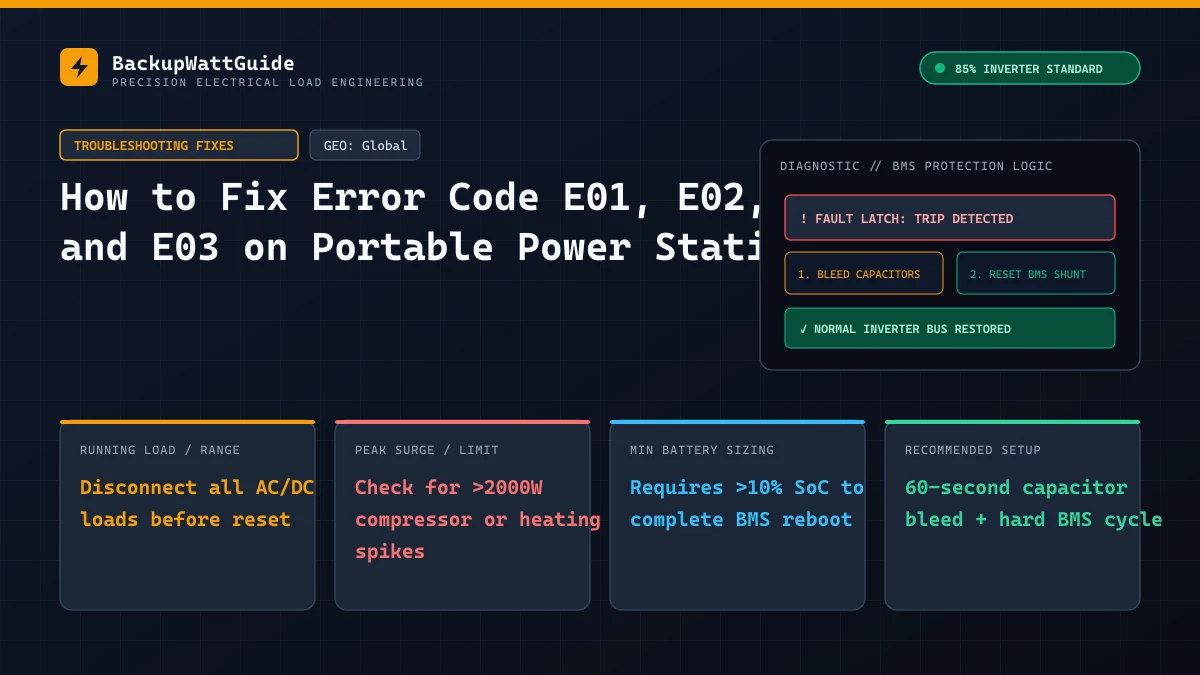
When a portable power station cuts power mid-cycle and flashes E01, E02, or E03 on the LCD screen, the Battery Management System (BMS) or inverter controller has tripped a hardware protection latch. Unlike gas generators that bog down slowly before stalling, lithium iron phosphate (LiFePO4) and nickel manganese cobalt (NMC) power stations open their solid-state relays in 10 to 20 milliseconds whenever current, temperature, or internal DC bus voltage crosses a factory threshold.
The problem for owners is that brands do not share a single numbering standard. An E01 on a Bluetti AC300 or AC200Max points to an inverter output overload, while an E01 or E01.01 on certain EcoFlow and AllPowers units points to a DC port overcurrent or battery cell under-voltage fault. Before you box up a 30-kilogram battery for warranty shipping, you need to identify which subsystem tripped the latch, drain the residual charge stored in the inverter capacitors, and run a specific button sequence to unlatch the BMS.
What E01, E02, and E03 mean across major power station brands
Manufacturers map their lowest error numbers to the three events that happen most often in the field: pulling too many amps through the AC sockets, overheating the inverter heatsink or battery pack, and feeding excessive open-circuit voltage () into the solar charge controller.
Check your brand and series in the table below before changing any wiring.
| Brand & Series | Error Code E01 | Error Code E02 | Error Code E03 |
|---|---|---|---|
| Bluetti (AC200L, AC200Max, AC300, EB3A, EB70S) | Inverter output overload. Connected AC load exceeded continuous or peak surge rating, or an output short occurred. | Inverter temperature high. Internal IGBT/MOSFET heatsink exceeded 75°C (167°F) due to blocked fans or heavy continuous draw. | Internal H-Bus voltage high. DC link voltage between the step-up transformer and AC inverter spiked above safe limits. |
| EcoFlow (DELTA 2, DELTA Pro, River 2/3 Series) | Overload or BMS cell under-voltage (often shown as E01 or 102/E101 on newer firmware). One cell bank dropped below 2.5V under load. | Output short circuit or over-temperature (E02 / E102). AC or 12V car port pulled excessive current or thermally latched. | High DC/solar input voltage or car port overcurrent (E03 / E103). Solar array exceeded the MPPT controller limit. |
| Jackery (Explorer 1000 v2, 1000 Plus, 2000 Pro) | Charge/discharge over-temperature (often paired with F1 or temperature icon). Pack thermistors read outside the -10°C to 45°C window. | Inverter AC output overload (E02 / F2). Appliance startup surge tripped the pure sine wave protection relay. | BMS communication or cell imbalance fault (E03 / F3). Serial data link between the display board and main BMS timed out. |
| Anker SOLIX (C1000, F1200, F2000) | AC overload protection active. Total load crossed the continuous rating after SurgePad timed out. | Battery pack over-temperature. Cell sensors crossed the upper discharge thermal cutoff. | DC input over-voltage. Solar XT60 input received voltage above the 60V or 150V MPPT ceiling. |
| AllPowers (R600, R1500, S2000 Pro) | DC output fault (E01.01) or low voltage. 12V cigarette socket or barrel port shorted. | AC inverter overload or short circuit. | Thermal protection active on mainboard. |
If your screen displays a code only while plugged into a wall receptacle and simultaneously pops the reset button on your kitchen or garage outlet, you are dealing with an AC ground-neutral loop rather than an internal BMS failure. See our guide on tripping wall GFCI outlets when charging to resolve that specific wiring conflict.
Diagnosing and clearing Error Code E01 (output overload and short circuits)
On roughly 80% of portable power stations, E01 (or the red OVERLOAD icon paired with a solid beep) means the AC inverter shut down to save its switching transistors. Every pure sine wave inverter has two wattage ratings: continuous running watts and peak surge watts.
When a motor-driven appliance kicks on, its locked rotor amps can pull three times its running wattage for 300 to 800 milliseconds. If you run a 1000W power station on a basement sump pump or an older garage freezer, the inverter can survive the surge only if no other loads are sharing the AC bus. If a 200W television and a 60W laptop charger are already plugged in when that pump starts, total demand crosses the ceiling and latches E01.
How to clear a latched E01 fault
- Unplug every AC, USB, and 12V DC cable from the front panel. Do not leave even an unplugged phone brick in the AC sockets. Cheap transformers inside wall warts can hold a capacitive load that confuses the inverter’s short-circuit check during boot.
- Toggle the AC power button off. On EcoFlow, Bluetti, and Anker SOLIX units, pressing the main power button does not always reset the inverter sub-board if you just put the screen to sleep. Press the dedicated AC button so its green LED goes dark.
- Wait 60 full seconds. The large electrolytic capacitors on the high-voltage DC bus take 30 to 45 seconds to bleed down through their internal discharge resistors. Turning the AC button back on after 5 seconds often reloads the exact same
E01code from volatile memory. - Re-enable AC output with zero load attached. Press the AC button once and watch the wattage display. It should read
0Wand show 120V (US/Canada) or 230V/240V (Australia/UK) at 50Hz or 60Hz. - Test appliances one by one, starting with the highest surge motor first. Plug in your compressor or pump before adding resistive or electronic loads like routers or LED lamps.
Use the calculator below to check whether your combined running watts and inverter idle draw leave enough headroom before an E01 shutdown triggers.
Real-World Battery Runtime Calculator (85% Inverter Efficiency)
When E01 triggers with nothing plugged in
If you unplug every cable, bleed the unit for 15 minutes, turn on the AC inverter, and E01 returns within three seconds alongside an audible click, check two physical points before calling support:
- Inspect the AC receptacle slots with a flashlight. On job sites and camping trips, metal shavings, pine needles, or damp drywall dust can fall into the neutral and hot slots of a NEMA 5-15R or Australian Type I socket. Blow out each receptacle with dry compressed air while the unit is powered off.
- Check EcoFlow and Bluetti “AC Always On” or “Grid Self-Adaptation” app settings. After firmware updates, some units get stuck in a 50Hz/60Hz frequency mismatch. Switch the output frequency in the mobile app from 60Hz to 50Hz, wait five seconds, and switch it back to your regional standard (60Hz for North America, 50Hz for Australia).
If the inverter still throws E01 on an empty socket after a frequency toggle, a MOSFET on the low-voltage or high-voltage bridge has shorted internally. At that point, stop cycling the AC button; repeated resets into a dead short can burn the PCB traces and void repair coverage.
Diagnosing and clearing Error Code E02 (high temperature and airflow faults)
Error code E02 trips when an internal negative temperature coefficient (NTC) thermistor crosses the upper safety boundary. There are two separate thermal zones inside a portable power station, and knowing which one overheated tells you how long you have to wait:
- Inverter heatsink over-temperature (65°C to 80°C / 149°F to 176°F): The aluminum fin stack attached to the AC inverter transistors got too hot during high-wattage discharging or fast AC wall charging. Because aluminum sheds heat quickly once load stops, this fault usually clears in 10 to 15 minutes.
- LiFePO4 cell pack over-temperature (charge limit ~45°C / 113°F, discharge limit ~55°C / 131°F): The lithium cells themselves soaked up too much heat. Battery cells have high thermal mass and sit packed tightly inside a plastic shell. A heat-soaked cell block can take 60 to 90 minutes to cool back down to 40°C so the BMS will re-enable charging. (If your error appears in winter instead of summer, read our troubleshooting guide on LiFePO4 low-temperature charging cutoffs.)
Step-by-step fix for E02 thermal lockouts
- Disconnect all AC loads and unplug the AC fast-charging cord, but leave the main power station turned ON. This is the mistake most users make. When you shut the main unit completely off during an
E02alarm, you kill 12V power to the internal cooling fans, trapping hot air around the LiFePO4 cells and doubling your cooldown time. Leave the main screen on with AC and DC output buttons switched off so the fans can purge heat from the chassis. - Check the side intake meshes for pet hair and lint. Bluetti, Anker, and EcoFlow units pull air through fine plastic honeycombs on one side and exhaust it out the opposite side. If the unit sits on carpet, a tent floor, or a dusty garage shelf, those screens clog within weeks. Vacuum the outside of both vents or wipe them with a dry toothbrush.
- Verify fan spin with a flashlight. Shine a light through the vent grille while the unit is displaying
E02. If the unit is hot and the fans are stationary (or twitching without spinning up), a fan bearing has seized or the 2-pin fan header vibrated loose on the control board. - Drop AC charging speed in the companion app. Modern LiFePO4 units like the EcoFlow DELTA 2 Max, Anker SOLIX C1000, and Bluetti AC180 push 1,000W to 1,800W from a wall outlet in “Turbo” or “Fast Charge” mode. In a warm garage or caravan above 30°C (86°F), 1,500W wall charging routinely triggers
E02. Open the Bluetooth app and cap AC input at 400W to 600W during summer months.
For additional background on safe thermal envelopes for lithium cells, review the Battery University BU-410 reference on charging at high and low temperatures.
Diagnosing and clearing Error Code E03 (H-Bus and solar over-voltage)
Error code E03 is the most misunderstood fault on mid-to-large power stations. Depending on your model, it points to one of two voltage spikes:
1. Solar MPPT input over-voltage (EcoFlow, Anker, and portable Bluetti EB series)
Every solar charge controller has a strict maximum input voltage ceiling: for example, 60V on an EcoFlow DELTA 2 or Bluetti EB70S, and 150V on a Bluetti AC200Max or AC200L. Many users wire two or three portable solar panels in series (plugging the positive MC4 lead of panel A into the negative MC4 lead of panel B) to boost wattage.
In series wiring, voltages add together. Worse, builders often check the “Working Voltage” () sticker on the back of the solar panel instead of the Open Circuit Voltage (). When the sun first hits a cold panel in the morning, sits 18% to 22% higher than . Three panels with a of 19.5V (58.5V total) will actually hit an open-circuit voltage of 69V to 72V before load is applied, instantly tripping E03 on a 60V MPPT port.
How to fix it: Unplug the XT60 or aviation solar cable immediately. Rewire your panels in parallel using MC4 branch Y-connectors (combining amps while keeping voltage identical to a single panel), or remove one panel from your series string so total stays at least 15% below your station’s maximum solar input rating. You can also compare how ambient temperature shifts panel voltage in our guide on solar panel voltage behavior in high heat.
2. Internal H-Bus high voltage (Bluetti AC200/AC300/AC500 and split-phase setups)
Inside large inverters, a DC-to-DC converter steps the 48V or 51.2V battery pack up to a 380V–420V internal high-voltage DC bus (the H-Bus) before chopping it into 120V or 240V AC power. An E03 H-Bus high voltage error happens when an external voltage spike feeds back into the inverter output ports, or when an inductive motor load disconnects abruptly while drawing high amperage.
This frequently happens when someone connects a power station to a house panel or RV shore-power inlet improperly. Never connect a power station to household circuits without isolating the utility main; read our walkthrough on wiring a portable power station to a manual transfer switch to prevent backfeed damage.
Brand-by-brand BMS hard reset sequences
When a soft 60-second power cycle fails to clear a phantom E01, E02, or E03 latch, you need to force the Battery Management System microcontroller to reboot and re-poll every cell tap.
| Brand | Soft Logic Reset (Button Combo) | Hard BMS & Coulomb Counter Reset |
|---|---|---|
| Bluetti | Turn off AC and DC outputs. Hold the AC + DC buttons simultaneously for 10 seconds (or power off, wait 3 minutes, and reboot). | Discharge unit to 0% until automatic shutoff. Wait 30 minutes for cell relaxation, then charge uninterrupted via AC wall cord to 100%. |
| EcoFlow | Unplug all cords. Turn unit off, then press and hold the Main Power Button for 10 to 15 seconds until the screen flashes and powers back down. | Leave unit completely unplugged and powered off for 2 to 6 hours (full capacitor drain), then perform a 0% to 100% continuous AC charge. |
| Jackery | Explorer 240/300/500/1000: Hold the Display button for 10 seconds. Pro/Plus models (1000 Pro, 2000 Plus): Hold Display + USB buttons together for 13 seconds. | Drain to 0% under a steady 100W–200W load, then plug directly into a wall outlet and charge to 100% without plugging in any USB or AC devices. |
| Anker SOLIX | Locate the recessed Reset pinhole (typically near the AC input port or under the rubber input flap) and press with a paperclip for 3 seconds. | Discharge to 0%, press the pinhole reset button, and charge via AC wall outlet at standard (non-UltraFast) wattage to 100%. |
If your battery clears the error code after a hard reset but gets stuck at 98% or 99% while recharging, the coulomb counter lost its top-of-pack voltage reference during the fault. Follow our companion procedure on stopping at 99% charge during calibration to rebalance the LiFePO4 cells.
For official hardware manuals and downloadable fault sheets, consult the Bluetti official user guide library or the EcoFlow support download center.
How to tell if your power station needs warranty service
Run this three-minute bench check before opening a support ticket. Manufacturer support teams ask for these exact data points before approving a replacement label:
- Test DC vs. AC isolation: With all cables removed, turn on only the 12V DC and USB outputs and plug in a phone. If USB and 12V work normally for 20 minutes without throwing a code, your LiFePO4 battery pack and primary BMS are healthy; the fault is isolated to the AC inverter board.
- Check the physical overload pop-breaker: On the back or side of many EcoFlow, Bluetti, and Jackery units, a small black plastic thermal breaker button sits next to the AC charging port. If that button has popped outward by 3 to 4 millimeters, press it firmly back in until it clicks.
- Record a 15-second video of the cold boot: Support engineers require video proof showing all ports empty, the unit booting up, the exact firmware number in the app, and the
E01,E02, orE03code flashing on screen. Capturing this video right after your capacitor bleed saves two days of back-and-forth emails.
# Frequently Asked Questions
Why does error code E01 come back with nothing plugged into the AC outlets?
If E01 or an inverter overload alarm stays on the screen with all AC cords unplugged, one of the internal H-bridge MOSFETs on the inverter board has likely failed in a closed state, or a carbonized dust bridge is shorting an AC receptacle. Bleed the capacitors for 15 minutes and restart. If the code returns immediately on an empty bus, the inverter board needs warranty replacement.
Can I clear an E02 high-temperature error by pointing an air conditioner at the intake vents?
Avoid blowing icy air straight into a hot lithium pack. Rapid cooling can cause moisture to condense on the high-voltage DC bus bars inside the casing. Move the station into a dry 20°C (68°F) room, leave the main power button on with the AC and DC outputs turned off so the internal cooling fans keep running, and let the thermistor drop below 45°C naturally.
Does doing a hard BMS reset erase my firmware updates?
No. Holding the AC and DC buttons or draining the pack to 0% only clears volatile memory in the Battery Management System and resets the state-of-charge coulomb counter. Your installed inverter and mainboard firmware versions remain untouched.
Lead Technical Electrical Editor
Peer-ReviewedPower Systems Analyst & Backup Power Specialist
All technical guides and electrical sizing benchmarks are calculated using standard Nameplate Full Load Amps (FLA), Locked Rotor Amps (LRA) surge models, and an empirically verified 85% Inverter Power Factor & Conversion Efficiency model.